Posts

Binding RadioButtons with Gender Property in WPF Using Value Converter

Many WPF developers face a common problem when working with RadioButtons . They try to bind RadioButtons with a Gender property, but the binding does not work as expected . Why does this happen? Because RadioButtons work with true/false values , but in real applications, Gender is stored as meaningful values like: Male Female So the big question is: How do we connect a true/false UI control with a Male/Female data value? Why RadioButton Binding Fails A RadioButton uses the IsChecked property, and this property accepts only: true false But your Gender property is usually: a string ( "Male" , "Female" ) or an enum So the UI value and the data value are different types . This mismatch is the root cause of the problem. The Solution: Value Converter WPF provides a powerful feature called a Value Converter . What is a Value Converter? A Value Converter converts one value type into another. In our case: Convert Gender (...

How to save data from datagrid to database in C# WPF?

Image
DataGridEx.xaml <Window x:Class="PrismApp.Views.DataGridEx"              xmlns="http://schemas.microsoft.com/winfx/2006/xaml/presentation"              xmlns:x="http://schemas.microsoft.com/winfx/2006/xaml"              xmlns:prism="http://prismlibrary.com/"              prism:ViewModelLocator.AutoWireViewModel="True">     <Grid>         <DataGrid ItemsSource="{Binding LstEmployees}"                   AutoGenerateColumns="False" CanUserAddRows="False" >             <DataGrid.Columns>                 <DataGridTextColumn Header="Employee Id" Binding="{Binding EmpId}" IsReadOnly="True"/>                 <DataGridTextColumn Header="Emp...

How to print Hello World on console using reflection in C#?

using System; namespace ConsoleProject {     class Program     {         static void Main(string[] args)         {             //get the method by method name and with string argument types             //Here GetMethod() will return the info of WriteLine(string value)             //and invoke() will call WriteLine method by passing the string "Hello World"             //this line equivalent to Console.WriteLine("Hello World");             typeof(Console).GetMethod("WriteLine", new Type[] { typeof(string) }).Invoke(default, new object[] { "Hello World" });             Console.ReadLine();         }     } }

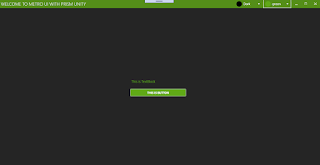
How to apply theme and color in wpf Metro window application

Image
In this example i am using Prism,unity and MahApps make sure you are also using same otherwise you will not get PrismApplication,BindableBase and MetroWindow .   MainWindow.xaml  <metro:MetroWindow x:Class="WpfApplication.Views.MainWindow"              xmlns="http://schemas.microsoft.com/winfx/2006/xaml/presentation"              xmlns:x="http://schemas.microsoft.com/winfx/2006/xaml"              xmlns:d="http://schemas.microsoft.com/expression/blend/2008"              xmlns:mc="http://schemas.openxmlformats.org/markup-compatibility/2006"              xmlns:local="clr-namespace:WpfApplication"              mc:Ignorable="d"              xmlns:metro="http://metro.mahapps.com/winfx/xaml/controls"       ...

Print preview with Print in wpf using MVVM, Prism

  MainWindow.xaml  <Window x:Class="WpfDemo.Views.MainWindow"              xmlns="http://schemas.microsoft.com/winfx/2006/xaml/presentation"              xmlns:x="http://schemas.microsoft.com/winfx/2006/xaml"              xmlns:d="http://schemas.microsoft.com/expression/blend/2008"              xmlns:mc="http://schemas.openxmlformats.org/markup-compatibility/2006"              xmlns:local="clr-namespace:WpfDemo"              mc:Ignorable="d" Title="MainWindow">      <StackPanel Orientation="Vertical" HorizontalAlignment="Center">          <TextBlock Text="This is Print Preview demo"/>          <Button Content="Open file dialog" Command="{Binding ClickCommand}"  Margin...

How to Enable/Disable Button on Validation using DelegateCommand of Prism

Image
  MainWindow.xaml  <Window x:Class="Wpf.Views.MainWindow"              xmlns="http://schemas.microsoft.com/winfx/2006/xaml/presentation"              xmlns:x="http://schemas.microsoft.com/winfx/2006/xaml"              xmlns:d="http://schemas.microsoft.com/expression/blend/2008"              xmlns:mc="http://schemas.openxmlformats.org/markup-compatibility/2006"              xmlns:local="clr-namespace:Wpf"              mc:Ignorable="d">      <Window.Resources>          <ControlTemplate  x:Key="TextBoxErrorStyle">              <StackPanel Orientation="Horizontal">                  <AdornedElementPlaceholde...